


परिवर्तन लॉग
v1.1
- शॉर्टकट का नाम बदल दिया।
- कुछ स्पष्टीकरण जोड़े।
विवरण
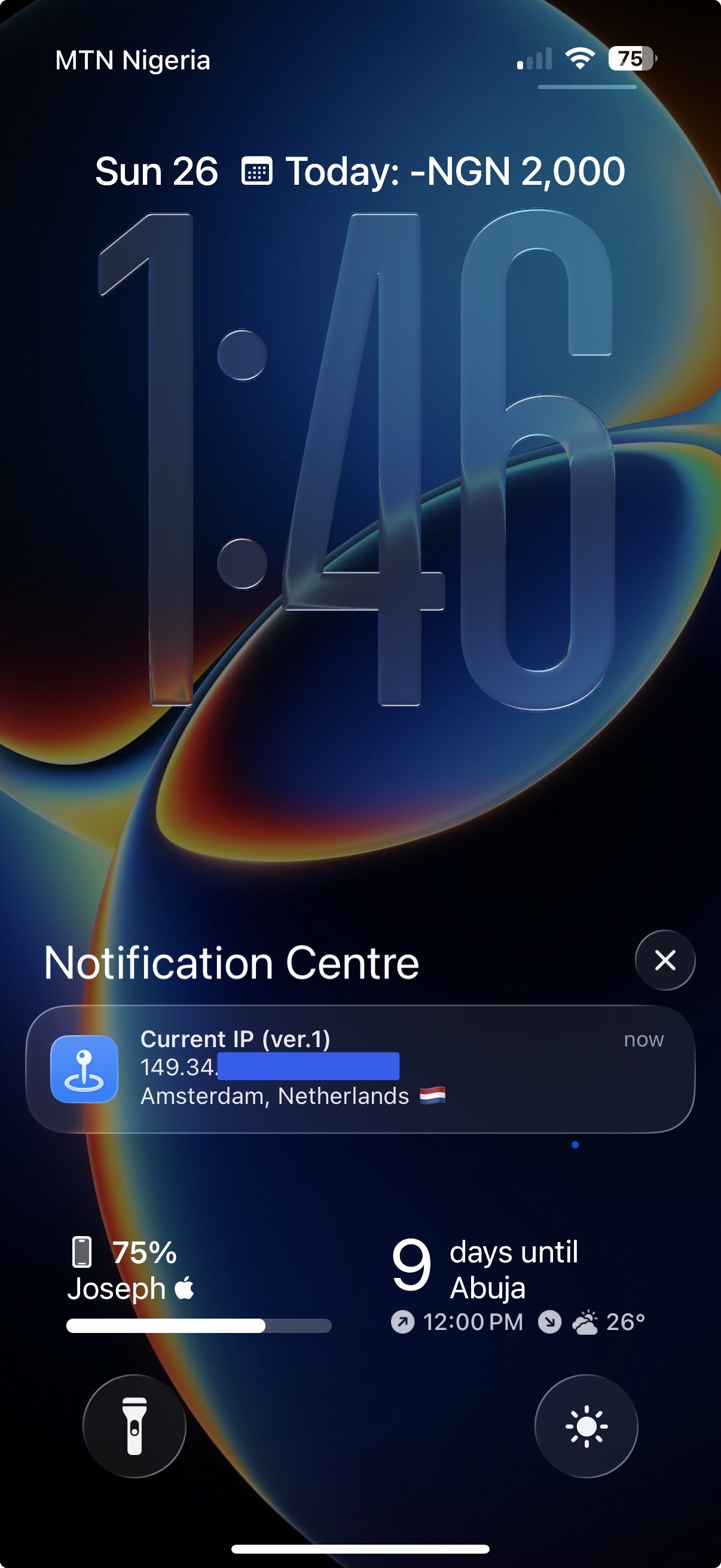
This shortcut can show your current IP address, city & country (with flag) as a silent notification.
___
## What it does:
- It pulls up info from https://ipwho.is (which shows as .json by default)
- Grabs the following details (ip, city, country and flag emoji of the country)
- Shows those details as a silent notification (no vibration nor sound)
## Usecase
- To find out what server/country you are connected to in any free VPN app that doesn’t permit selecting a country
- To find out your IP on-the-go
___
## Recommendations
For quick access, it is recommended to add a button in your Control Center that launches this shortcut
___
## Ready & set for automation in future
Currently, this shortcut cannot be ideally automated. That is, it would work best if Apple adds a _“when VPN connects/disconnects”_ or _“when network changes”_ actions in the Automation tab as an option to select.
स्क्रीनशॉट
सूचना
संस्करण:
1.1
जारी:
अद्यतन:
टिप्पणियाँ
बातचीत शुरू
अभी तक कोई टिप्पणी नहीं। टिप्पणी करने वाले पहले व्यक्ति बनें!






कृपया पर टिप्पणी करने के लिए में हस्ताक्षर करें।