


Description
⚠️ AT THE MOMENT THERE ARE BUGS ON IOS 26.2 beta 3 ⚠️
🚧 COMPLETE GUIDE!
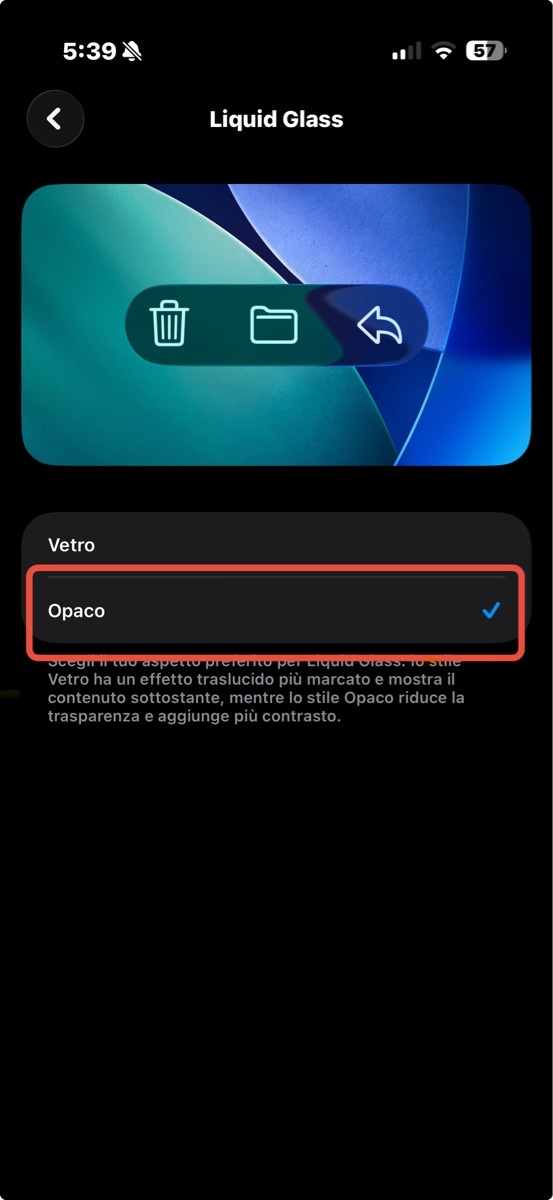
1. Go to settings ➜ screen and brightness ➜ Liquid Glass ➜ Tinted
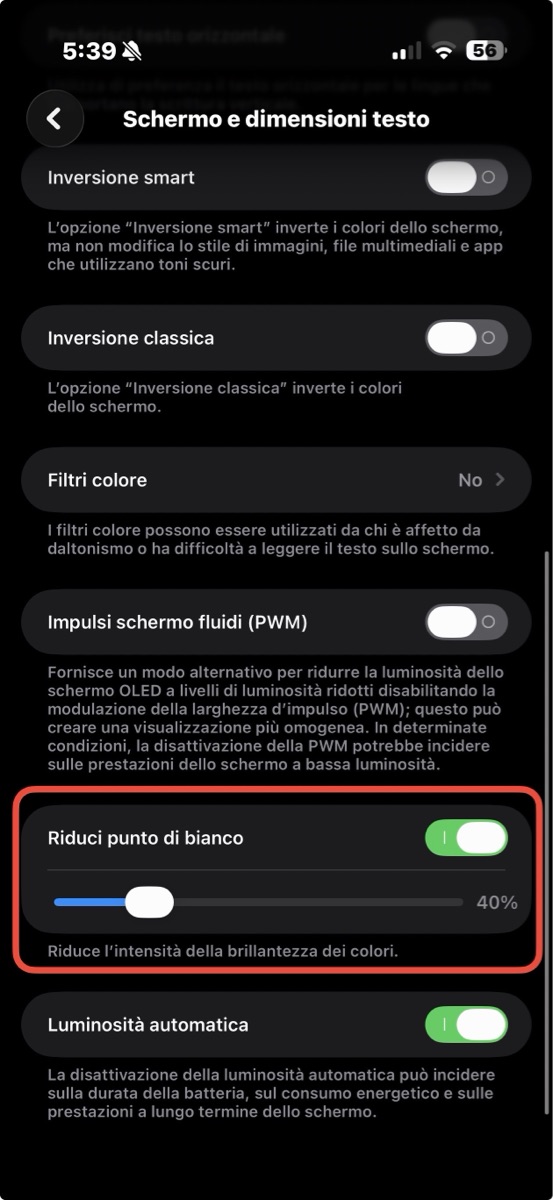
2. Go to settings ➜ accessibility ➜ screen and text size ➜ reduce the white point (set it to 40%)
🔧 Now you just have to click on the quick command and it will do everything automatically!
📱 PS: iOS 26 or higher is required for some functions!
Screenshots
Information
Comments
Start the conversation
No comments yet. Be the first to comment!







Please sign in to post comments.