


変更履歴
v3.4
コンテンツ
🔍 Overview
Springboard is the most comprehensive, efficient, and effective shortcut to bypass paywalls and access restricted content online!
In addition to its primary functionality of extracting articles, Springboard is also highly customizable and includes features for translating and summarizing articles*.
Much like ad blockers, bypass (or "article extraction") tools are now a necessity as online news & media outlets continue to lock more and more content behind paywalls.
*Feature currently in testing to be included in v4.0
📖 How to Use Springboard
NOTE: Springboard requires an 🔑API key to use.
>> Get your 🆓 API key at https://rapidapi.com/fivefilters/api/full-text-rss/pricing
Select the Basic plan, then follow the steps.
Springboard is run from the share sheet in Safari (or your preferred browser). When you hit a 🧱 paywall, simply 👆 tap the share sheet icon at the bottom of the screen and select 'Springboard' from the menu.
Full 📝 instructions can be found at https://drive.google.com/file/d/1OXjN0qNqb7GHuAZ9aW034r6eQSeChoYR/view?usp=sharing
🎨 Custom Viewing Screens
You can now customize the in-app viewing 📱screen in Springboard! Watch the 📼 video ⬇️ to learn how!
https://youtu.be/alyAOu0ciaU
🔄 Translation
Translation can be enabled/disabled from the Settings menu. To access the Settings menu, run Springboard from the Shortcuts app (without any input), then select Translation Settings > Enable/Disable Translation.
The translation feature in Springboard is powered by the DeepTranslate API (not to be confused with the DeepL Translator).
Learn how to subscribe to the DeepTranslate API at https://drive.google.com/file/d/1jhKXgC-ElY90DSxcCOLLCyvVoXi-0eCN/view?usp=drivesdk
or at
https://drive.google.com/file/d/14CeqkGTqruJ5_Rx12gfwuCUkk1DLlzUM/view?usp=drivesdk
The DeepTranslate API is comparable to Google Translate in terms of accuracy and performance, yet it is ~20x cheaper than Google Translate and offers the best value of any of the translation services currently available.
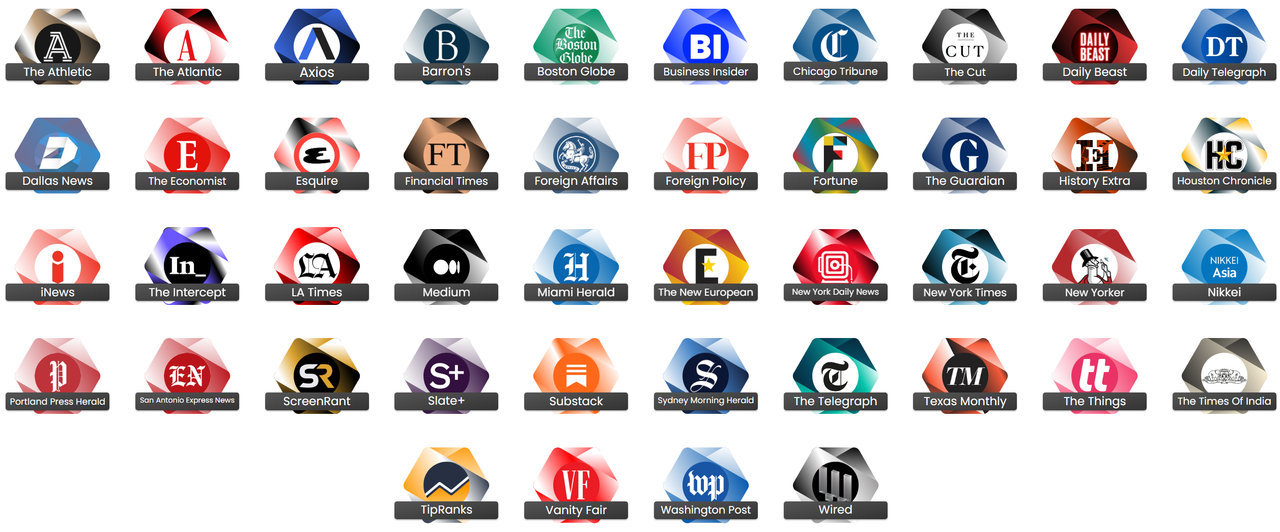
🚁 Bypass Paywalls From
https://i.ibb.co/y6TKp2x/Screenshot-2024-12-29-153952.png
- The Athletic (theathletic.com)
- The Atlantic (theatlantic.com)
- Axios (axios.com)
- Barron's (barrons.com)
- Boston Globe (bostonglobe.com)
- Business Insider (businessinsider.com)
- Chicago Tribune (chicagotribune.com)
- The Cut (thecut.com)
- Daily Beast (thedailybeast.com)
- Daily Telegraph (dailytelegraph.com.au)
- Dallas News (dallasnews.com)
- Economist (economist.com)
- Esquire (esquire.com)
- Financial Times (ft.com)
- Foreign Affairs (foreignaffairs.com)
- Foreign Policy (foreignpolicy.com)
- Fortune (fortune.com)
- The Guardian (theguardian.com)
- History Extra (historyextra.com)
- Houston Chronicle (chron.com)
- iNews (inews.co.uk)
- The Intercept (theintercept.com)
- Los Angeles Times (latimes.com)
- Medium (medium.com)
- Miami Herald (miamiherald.com)
- The New European (theneweuropean.co.uk)
- New York Daily News (nydailysnews.com)
- New York Times (nytimes.com) (partial)
- New Yorker (newyorker.com)
- Nikkei (asia.nikkei.com) (partial)
- Portland Press Herald (pressherald.com)
- San Antonio Express News (expressnews.com)
- ScreenRant (screenrant.com)
- Slate+ (slate.com)
- Substack (substack.com)
- Sydney Morning Herald (smh.com.au)
- Telegraph (telegraph.co.uk)
- Texas Monthly (texasmonthly.com)
- The Things (thethings.com)
- The Times of India (timesofindia.indiatimes.com)
- TipRanks (tipranks.com)
- Vanity Fair (vanityfair.com)
- Washington Post (washingtonpost.com)
- Wired (wired.com)
🚧 Limitations
Springboard does **not** work for the following publications:
- Wall Street Journal (wsj.com)
- Bloomberg (bloomberg.com)
*Lists are updated as needed.*
🗓 Last Update: 12.26.2025
スクリーンショット

インフォメーション
コメント
会話を始める
コメントはまだありません。 コメントを投稿する





で にコメントを投稿してください。