


Description
Apple Appstore lacks a wishlist. This shortcut solves that issue using a List in your Reminders app (no alert/notification).
___
## Set Up
To get the best experience out of this shortcut, do these first (one-time):
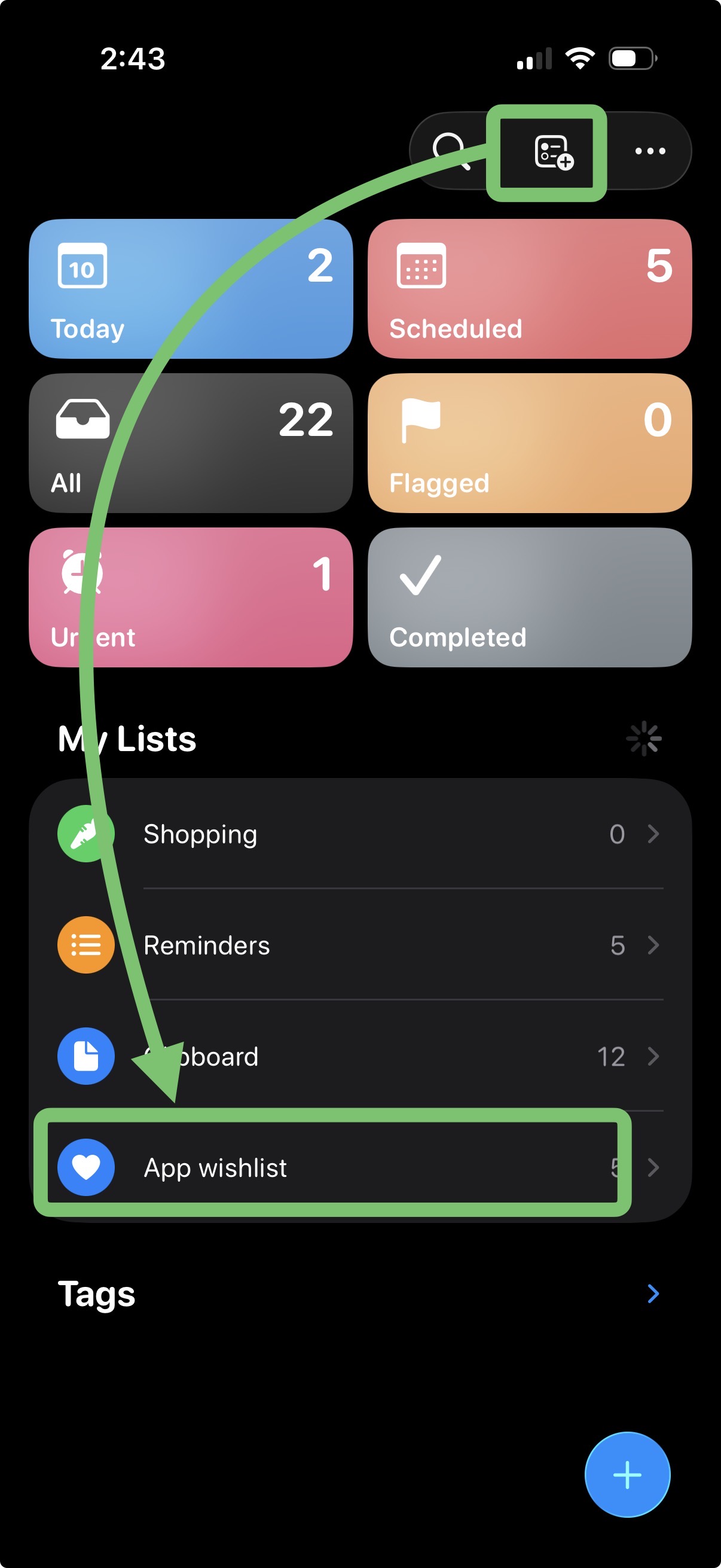
- IMPORTANT! Open your Reminders app and create a List. Name it exactly: App wishlist
- Open any app on the Appstore.
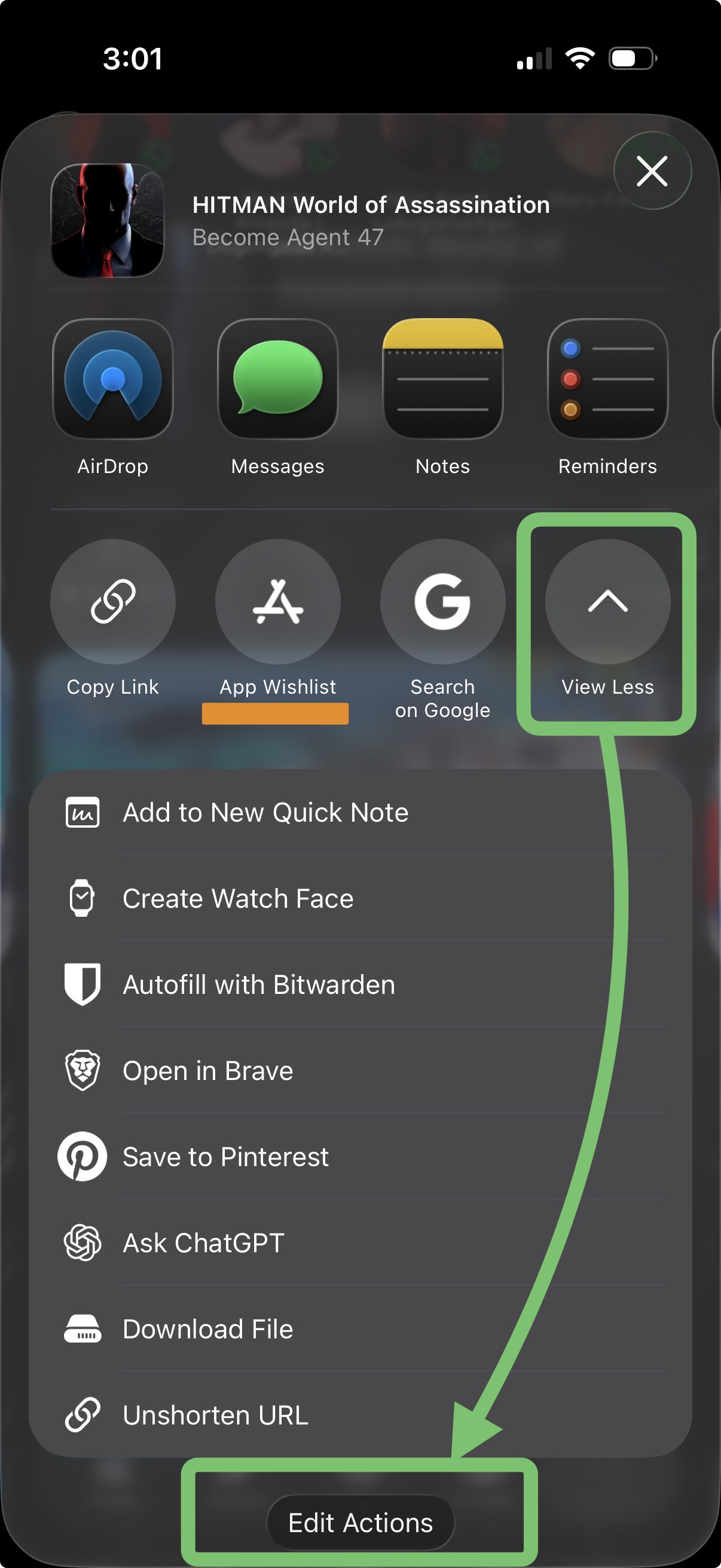
- Click the Share icon
- Click “View More” button and scroll down till you see “Edit Actions”. Click it
- Add this shortcut to your Top 3 Favourites, so that it always shows in the Share Sheet immediately/whenever you click the standard Share icon on the Appstore.
(Some descriptive screenshots for these steps have been added above)
___
## How to Use
- Search and find an app you wish to download later on the Appstore
- Click the Share icon to open the Share Sheet and run this shortcut
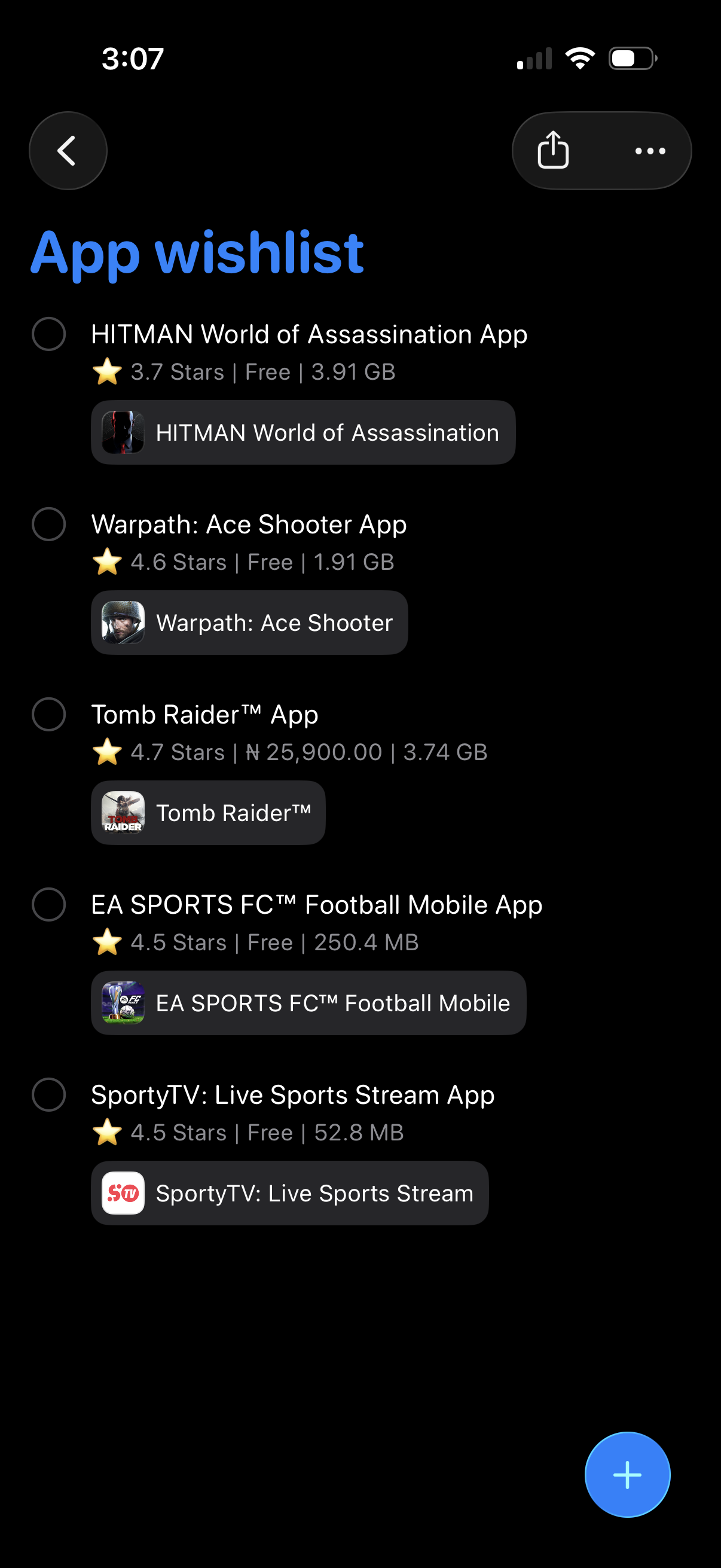
- The app’s details (name, rating, price, size & appstore link) will be added to the “App wishlist” List you created, which you can always go back to later whenever you like.
Screenshots
Information
Version:
1.0
Released:
Last Updated:
Comments
Start the conversation
No comments yet. Be the first to comment!















Please sign in to post comments.