

Описание
Requirements:
Google app installed with permission to access the photo library
What this shortcut does:
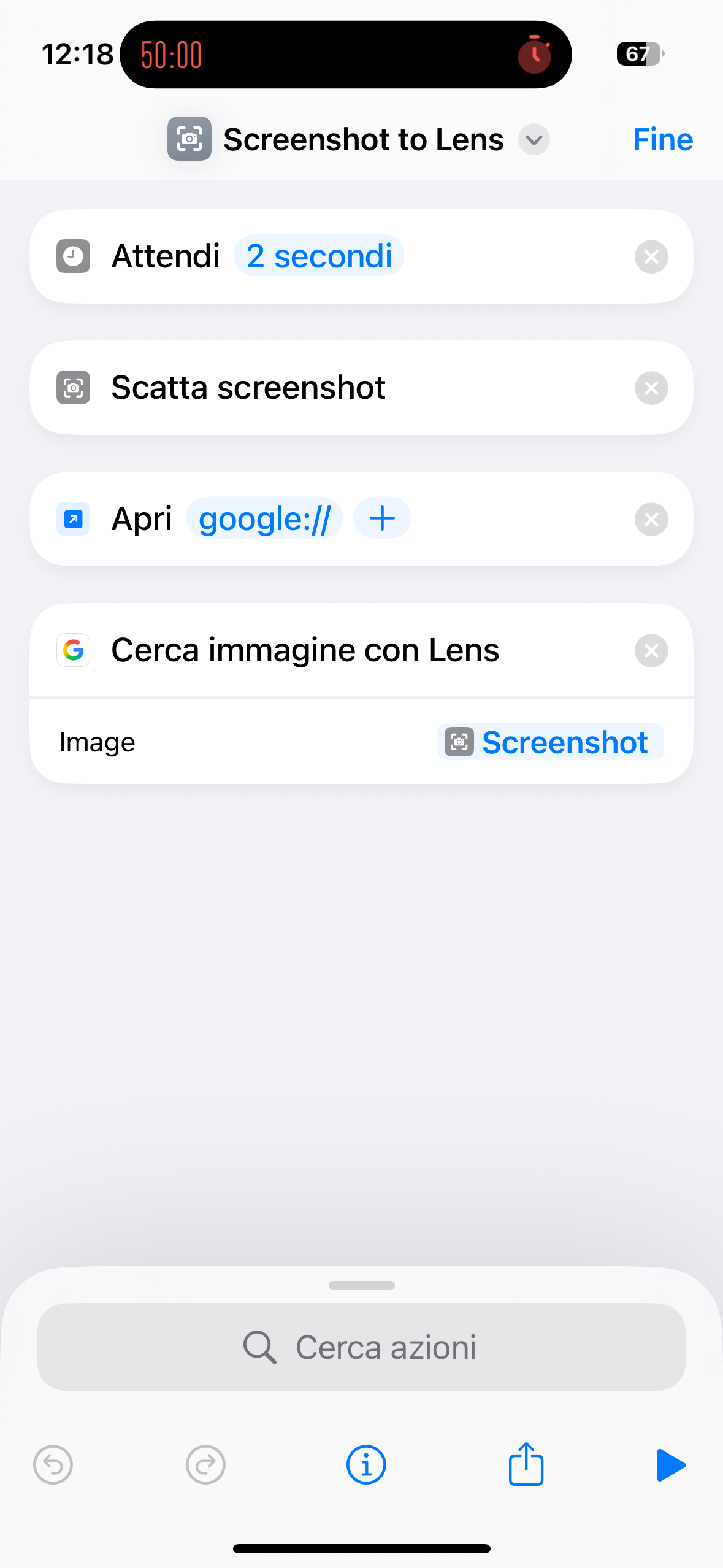
This shortcut takes a screenshot of whatever is currently on your screen and automatically opens it in Google Lens for instant analysis. It’s optimized for use from Control Center, preventing interface elements from being captured and avoiding Google Lens from reloading the previous screenshot: the google:// URL forces the app back to the home screen and then loads the new image directly.
Detailed setup instructions:
Download and add the shortcut to your library
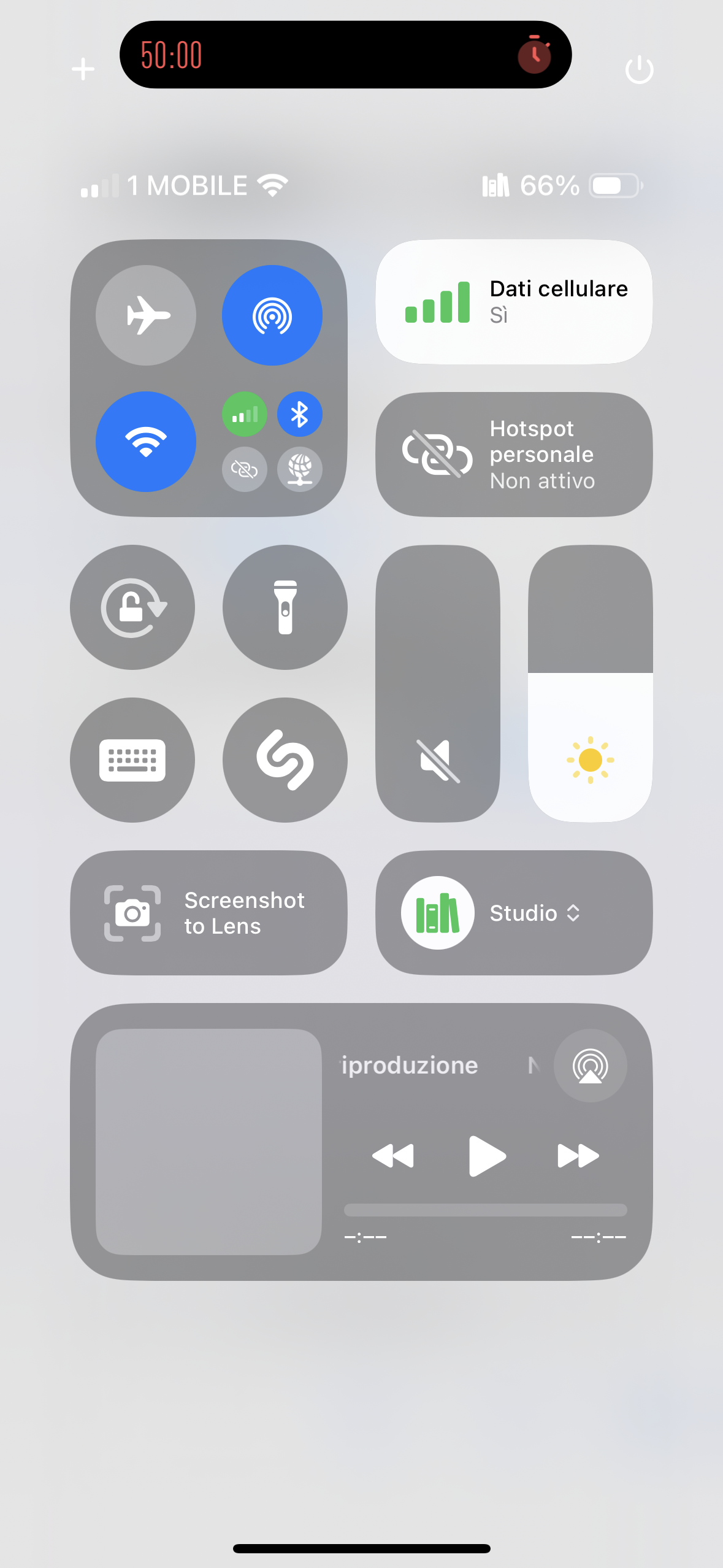
Open Control Center and tap the “+” button in the top left corner
Select “Shortcut” from the list of available controls
Choose your “Screenshot to Lens” shortcut from the list
The shortcut will now appear as a button in Control Center
How to use it step by step:
Go to the content you want to analyze
Open Control Center (swipe down from the top-right corner on newer iPhones, or swipe up from the bottom on older iPhones)
Tap the shortcut button
Immediately close Control Center with an upward swipe or by tapping elsewhere
Wait for the 2-second countdown
The shortcut will take a screenshot and open Google Lens
Google Lens will automatically analyze the screenshot and display results
Technical explanation – what each step does:
2-second wait: gives you time to manually close Control Center so it won’t appear in the screenshot
Take Screenshot: captures what’s on the screen
Open URL: google:// forces the Google app back to its main screen, so Lens won’t stay stuck analyzing the previous image
Search Images with Lens: launches Google Lens with the screenshot for analysis
Скриншоты
Информация
Версия:
1.0
Выпущено:
Последнее обновление:
Приложения:

Комментарий
Начните разговор
Никаких комментариев. Будьте первым, кто комментирует!






Пожалуйста, подпишитесь на в , чтобы опубликовать комментарии.