

Changelog
v1.2
Fixed Updating Logic
Description
**Customizable sticky notes on your home screen with no other apps!**
# Sticky Note Widget
This is based on my much older shortcut [Sticky Note](https://routinehub.co/shortcut/9942/), but is rewritten for easier use and updated to work with a widget.
## Features
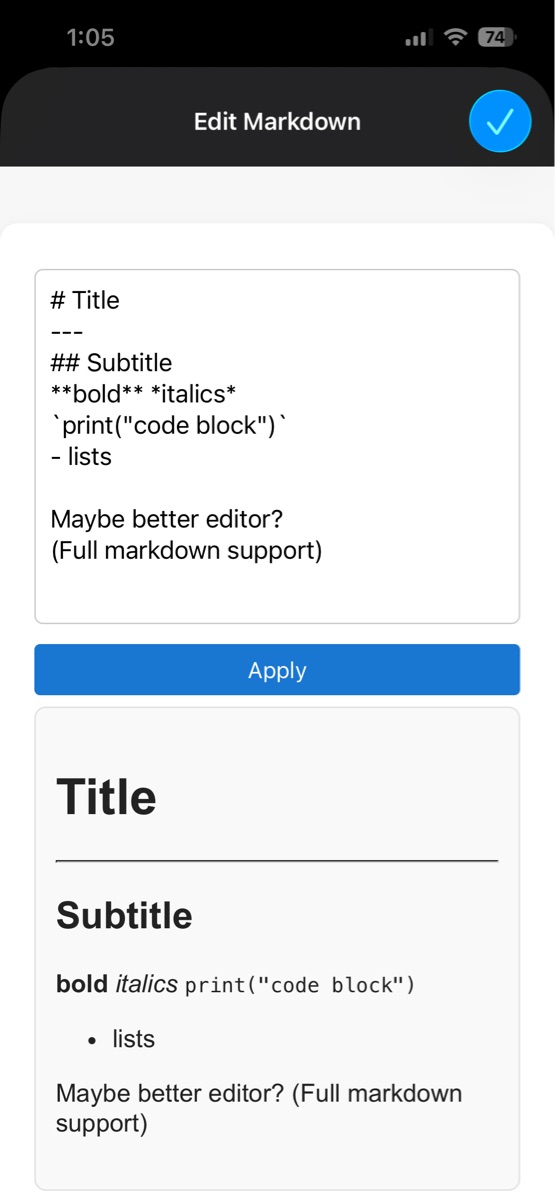
- Full markdown support
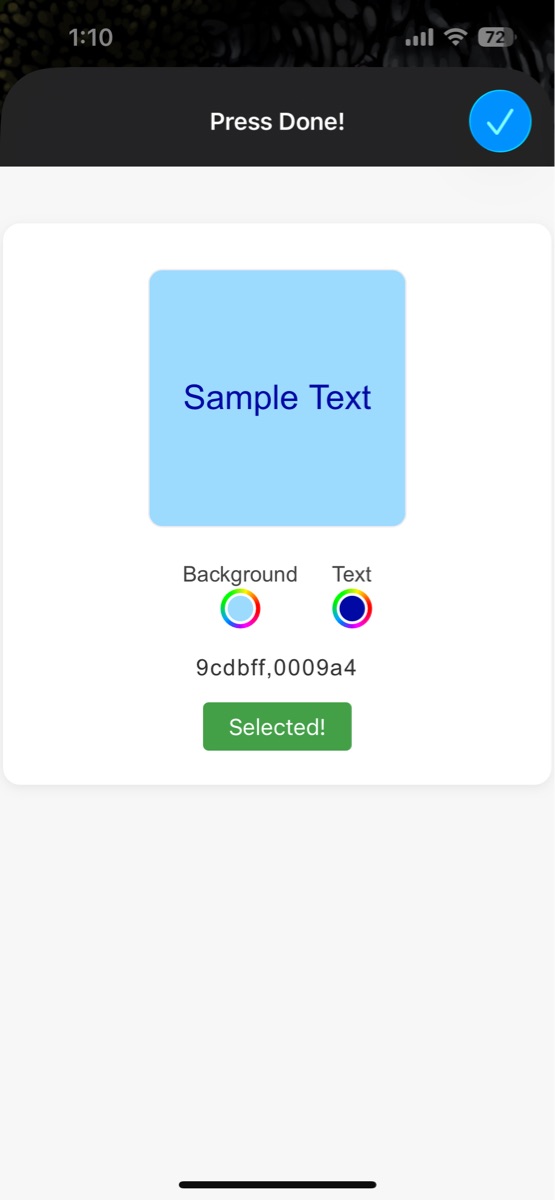
- Customizable text/note color, font size
- Save favorite color combo
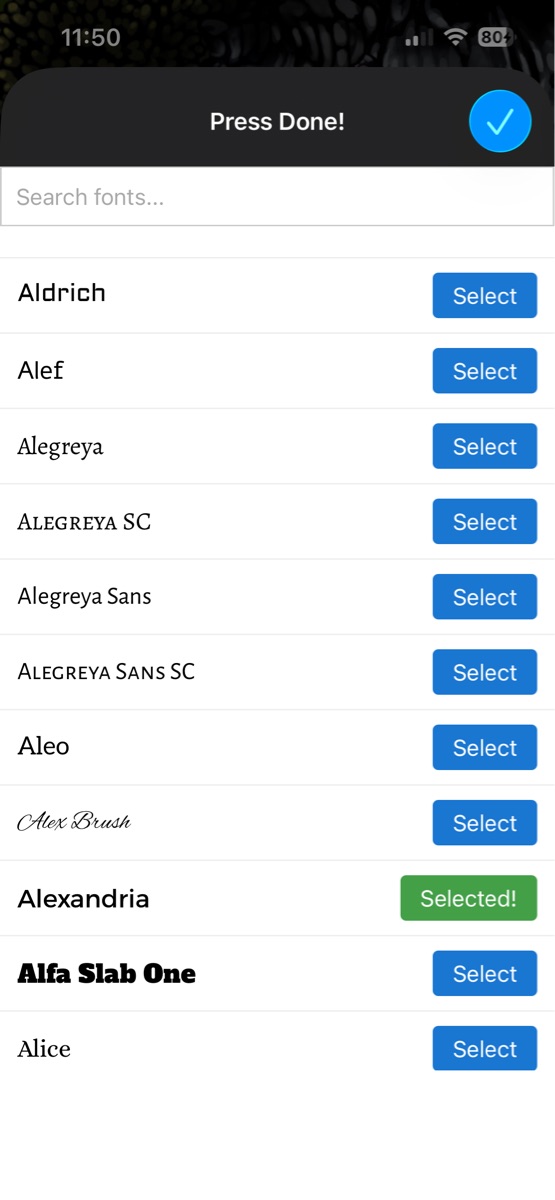
- Over 1500+ Fonts
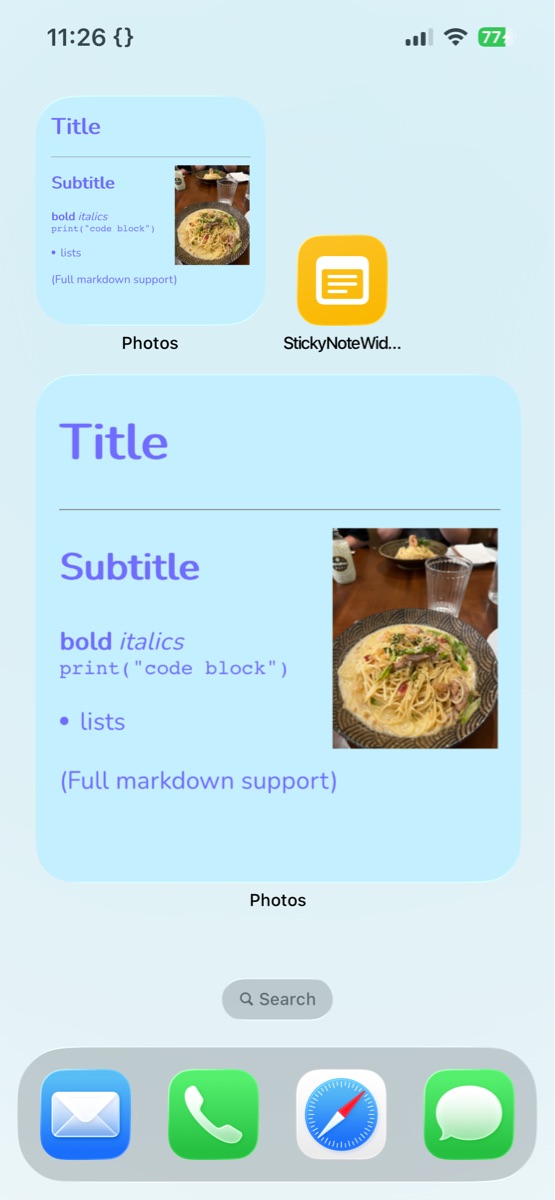
- Add images to note
## How to use
*After you create your first note, a popup with visual instructions will appear.*
1. Customize font/size
2. Enter note markdown
3. Choose note color (or quick note)
4. (Optional) Add images to note
5. (First time) Add a photo album widget to your home screen, and change its album to newly created **StickyNote**
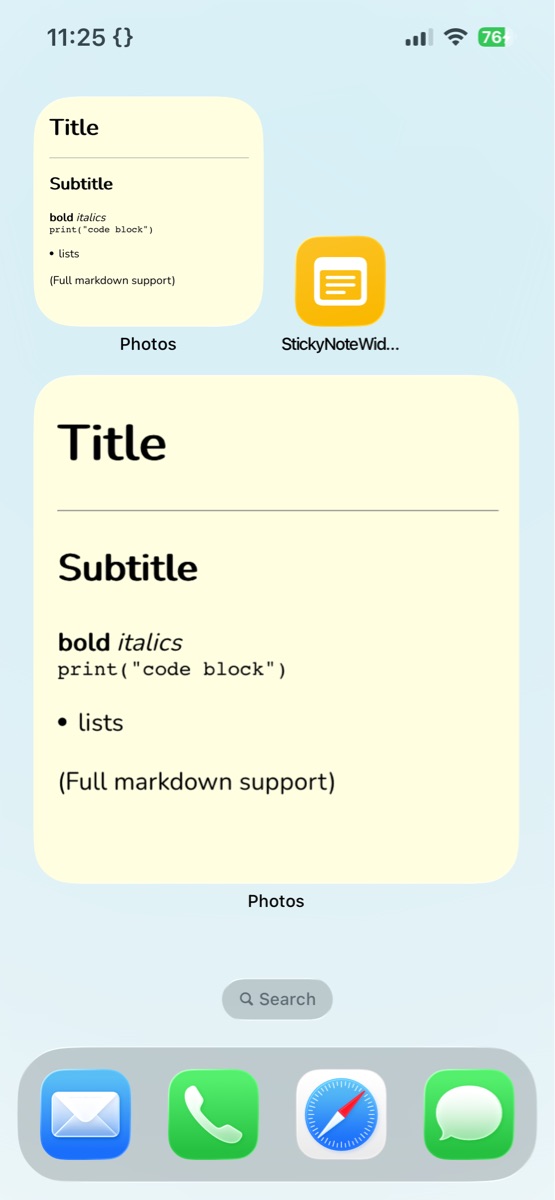
### Demo markdown:
```
# Title
---
## Subtitle
**bold** *italics*
`print("code block")`
- lists
(Full markdown support)
```
Screenshots
Information
Comments
4 comments
E
I would like to add more than one widget, and have each widget with its own shortcut for individual editing. Is that possible?”

Yup that's possible - each one would need their own photo album and possibly settings file. You can duplicate the shortcut and change those actions
P
I can’t use it, keeps forcing me to install the new version but downloads the same one
A
Great shortcut! One comment I have would be to enable setting up the folder where the the JSON config lives. I personally don't like having "random" files in my Shortcut folder and when I'm being forced to update the shortcut (there is no option to avoid the update) I have to scroll through the Shortcut to find where the config is saved so I can changed the path
Thanks for the feedback! Storing shortcut files in the Shortcuts folder is the norm because it requires no setup (everyone has a Shortcuts folder). Imo there aren't other files that should be in the folder so configs / temp files make sense. That being said, I'll make it easier to edit settings location in my future shortcuts.
A
I understand where you're coming from, thanks for the reply! In my case I have it in Shortcut/StickyNotes because I have other shortcuts with their own folders (Shortcuts/OtherShortcutName, etc.)








Please sign in to post comments.