


Changelog
v1.1.0
- In addition to use from the Amazon app, which continues to work as before, now you can also use it in the mobile web browser (and when doing so the reviews page will open in your browser) and even on Macs!
Description
## Open Recent Reviews
*A (hopefully useful) shortcut by Crunchewy*
**Open Recent Reviews** makes the Amazon app better and works entirely within the app. And now it works if you are using Amazon in a web browser as well, making the website better too! Plus now it works on a Mac as well!
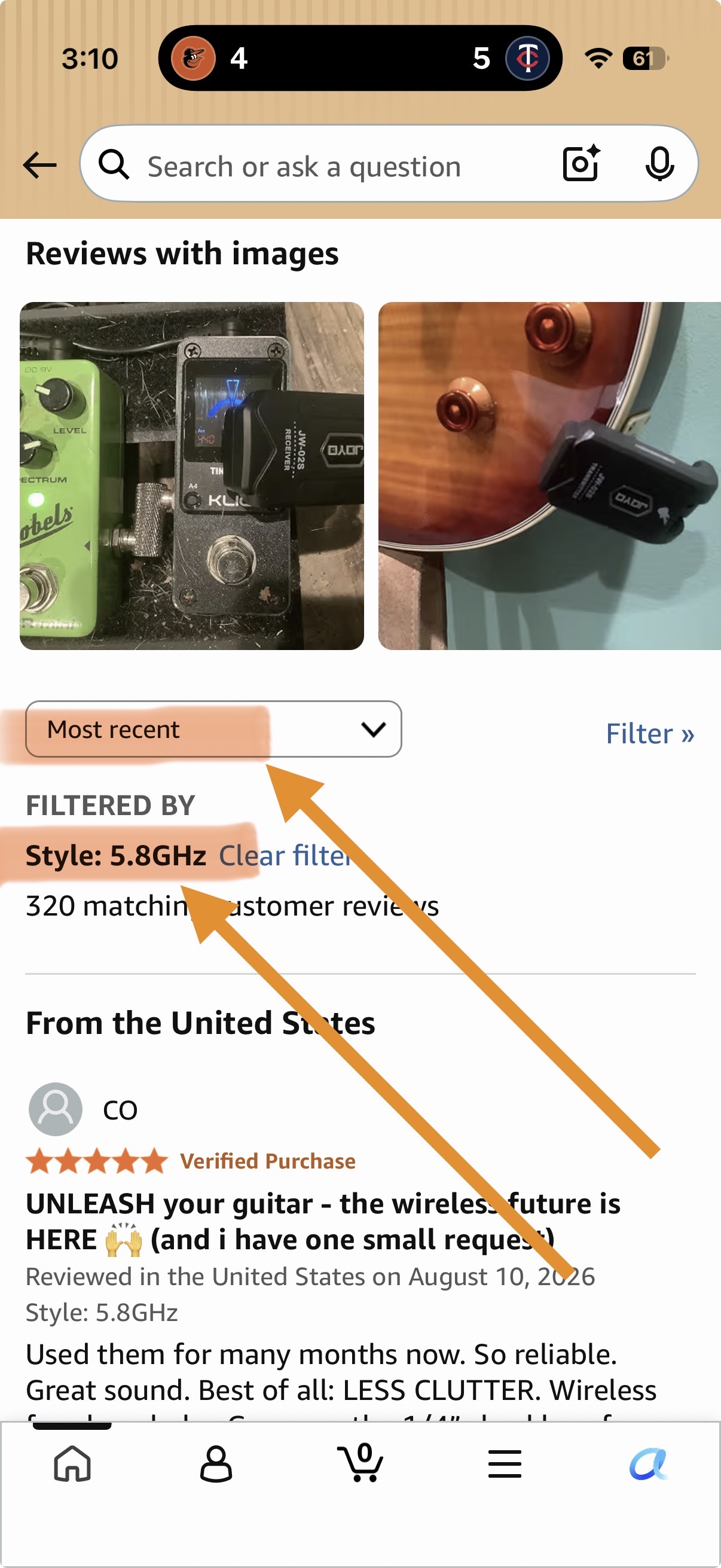
Bypass the steps and jump right to the **most recent** Amazon reviews, **for the specific variant** of the product you are looking at in the Amazon app. You never leave the app or browser and the app’s back button works as normal, taking you back to where you were.
There’s multiple steps to view all reviews on Amazon and by default it sorts by the largely useless and maybe deceptive “Top reviews”. Plus Amazon gives you reviews for all the product variants combined, even when the variants can be quite different from each other. **Open Recent Reviews** does the steps for you and you never leave app.
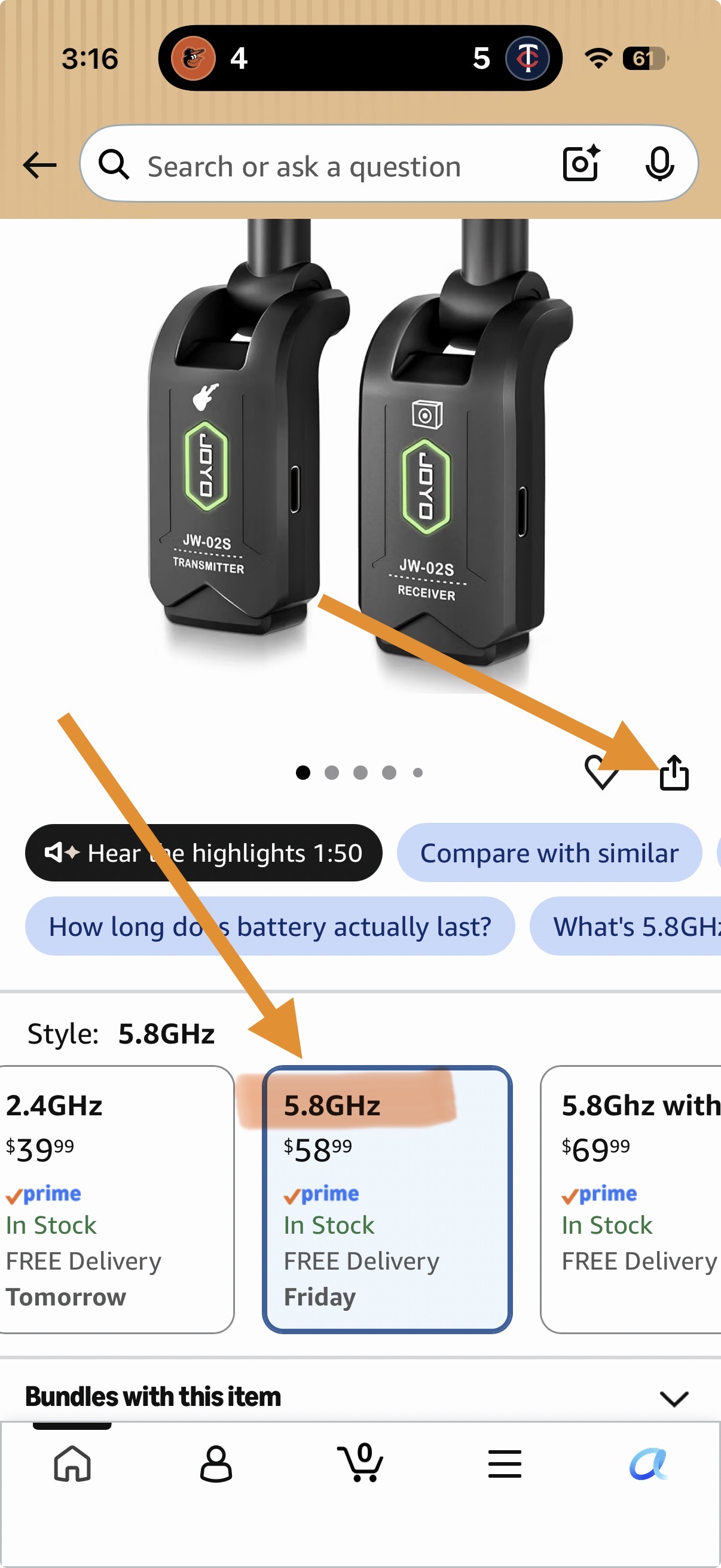
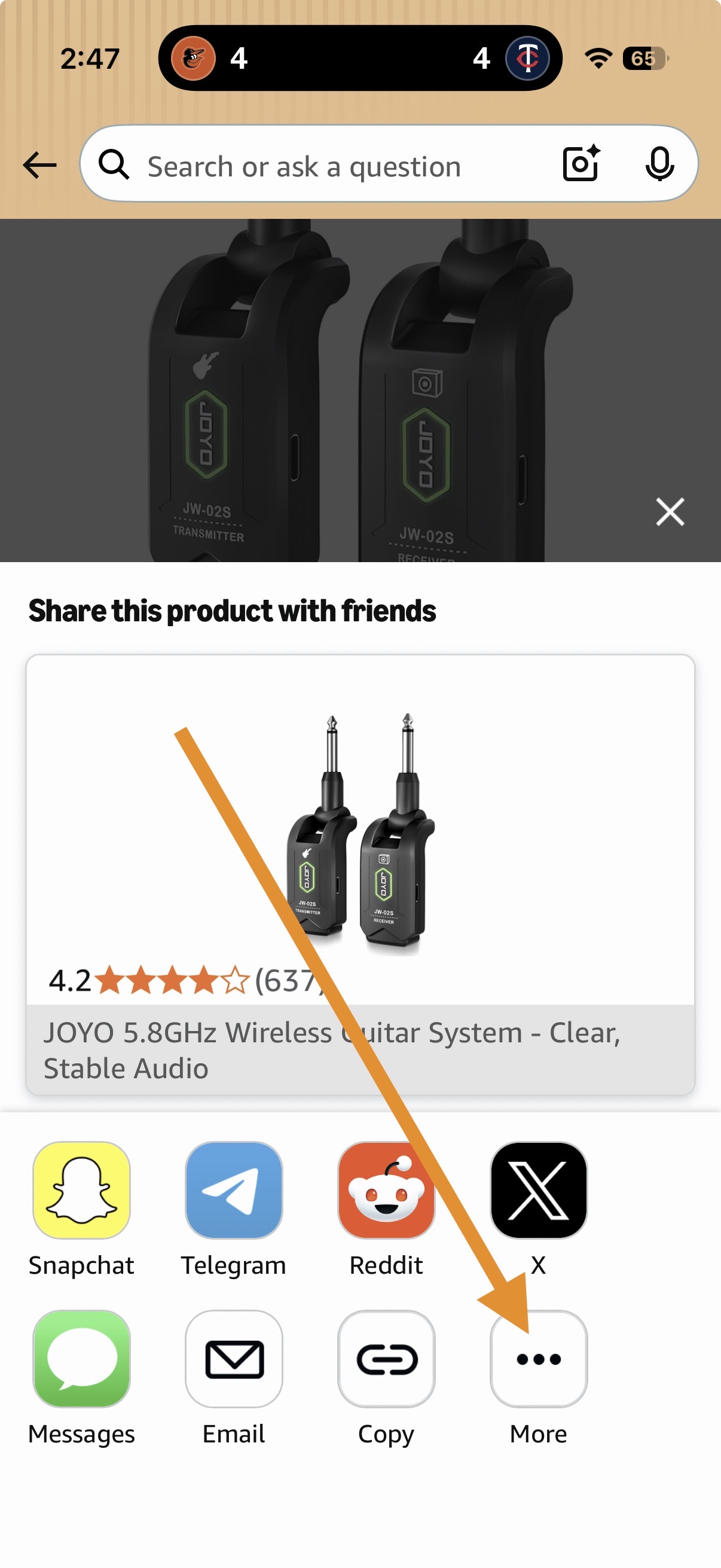
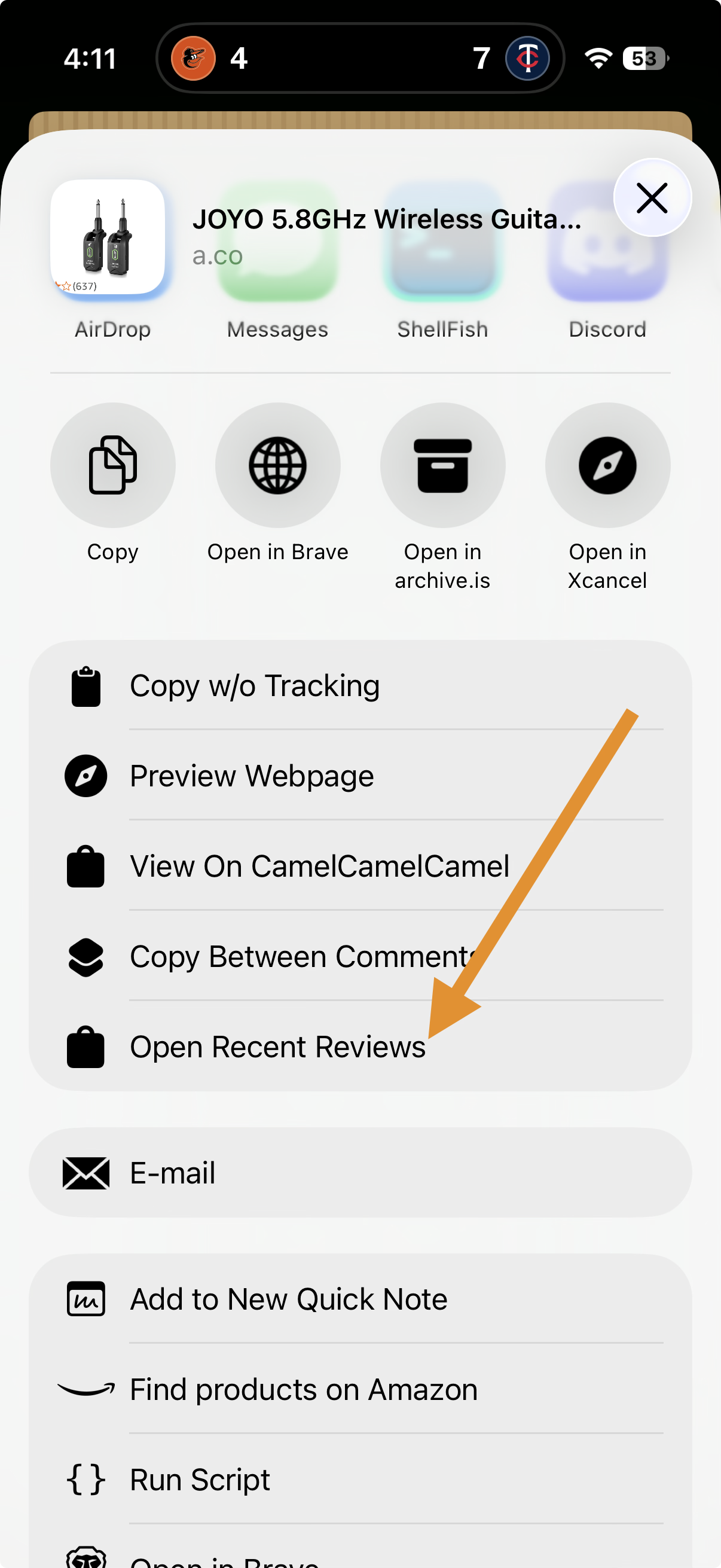
This shortcut is intended to be run from the Share Sheet when using the Amazon App. See the screenshots here for a step-by-step guide.
On Mac there a few ways to use it but one is to use the Share button at the top right of the window. Click that, then click Shortcuts, then click Open Recent Reviews. On the mobile browser the Share button to use is in the pop-up menu you get from the “…” icon on the right side of the address bar. Don’t use the share icon on the Amazon web page because that will only let you copy.
For the most convenient use, on your first use, in the Share Sheet scroll all the way to the bottom and tap “Edit Actions”, then scroll back up to “Open Recent Reviews” and tap the + icon to pin this Shortcut to the top of the Share Sheet.
You can also copy the product URL and then run the shortcut directly if you prefer that method. This will open the reviews in your default web browser.
Let me know what you like about it or just how useless this thing is:
**Shortcuty**: https://browse.shortcuty.app/user/Crunchewy
**Bluesky**: https://bsky.app/profile/crunchewy.bsky.social
**Discord**: https://discord.com/users/180373244560408576
**Reddit**: https://reddit.com/u/crunchewy
Delete your x/twitter account and don't look back.
Screenshots
Information
Comments
Start the conversation
No comments yet. Be the first to comment!



Please sign in to post comments.