

Historique des modifications
v1.1.0
Description
## 🍼 **Baby Command Center**
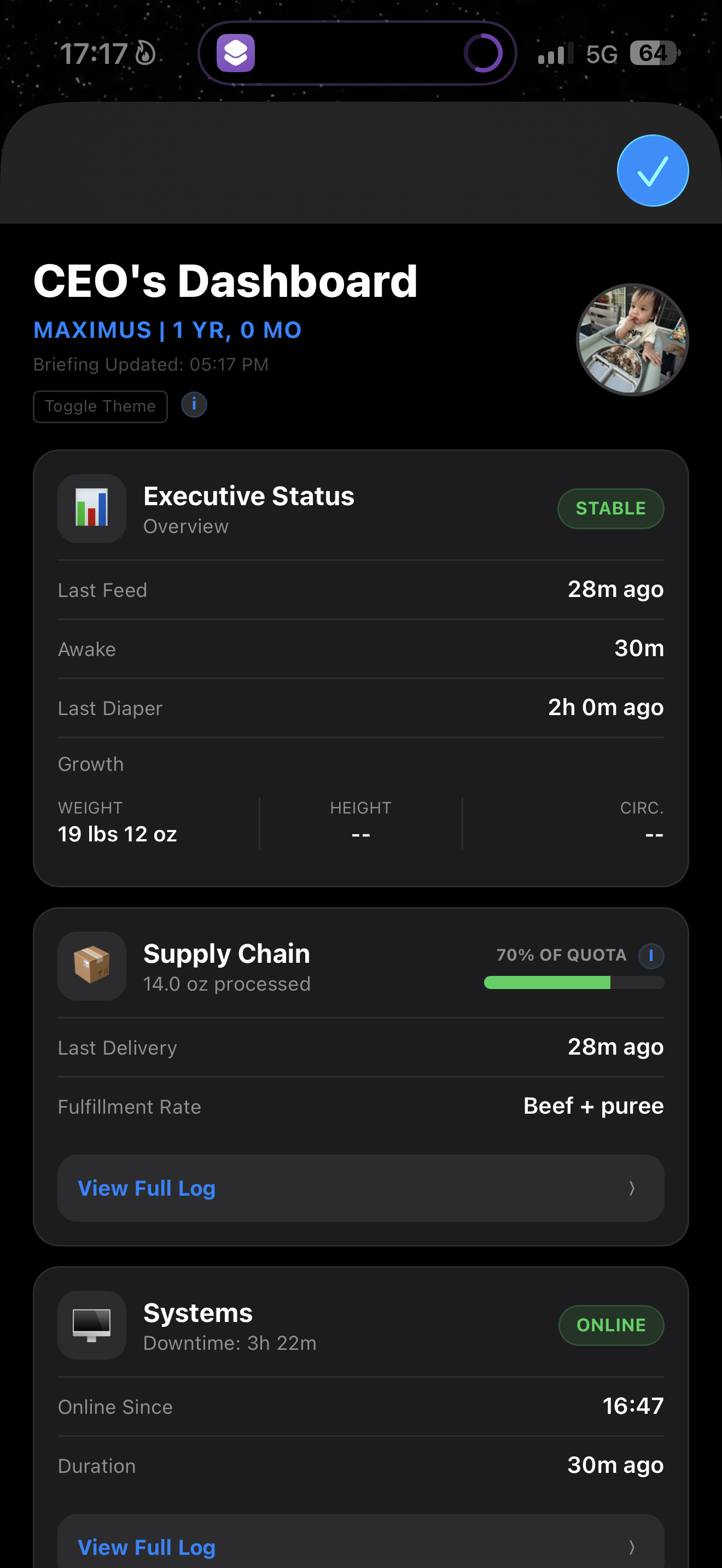
A sleek, high-performance executive dashboard for tracking mission-critical baby data. The **Baby Command Center** replaces cluttered spreadsheets with a professional, dark-mode interface designed for speed, clarity, and a "birds-eye view" of daily operations.
---
### **🚀 Core Functionality**
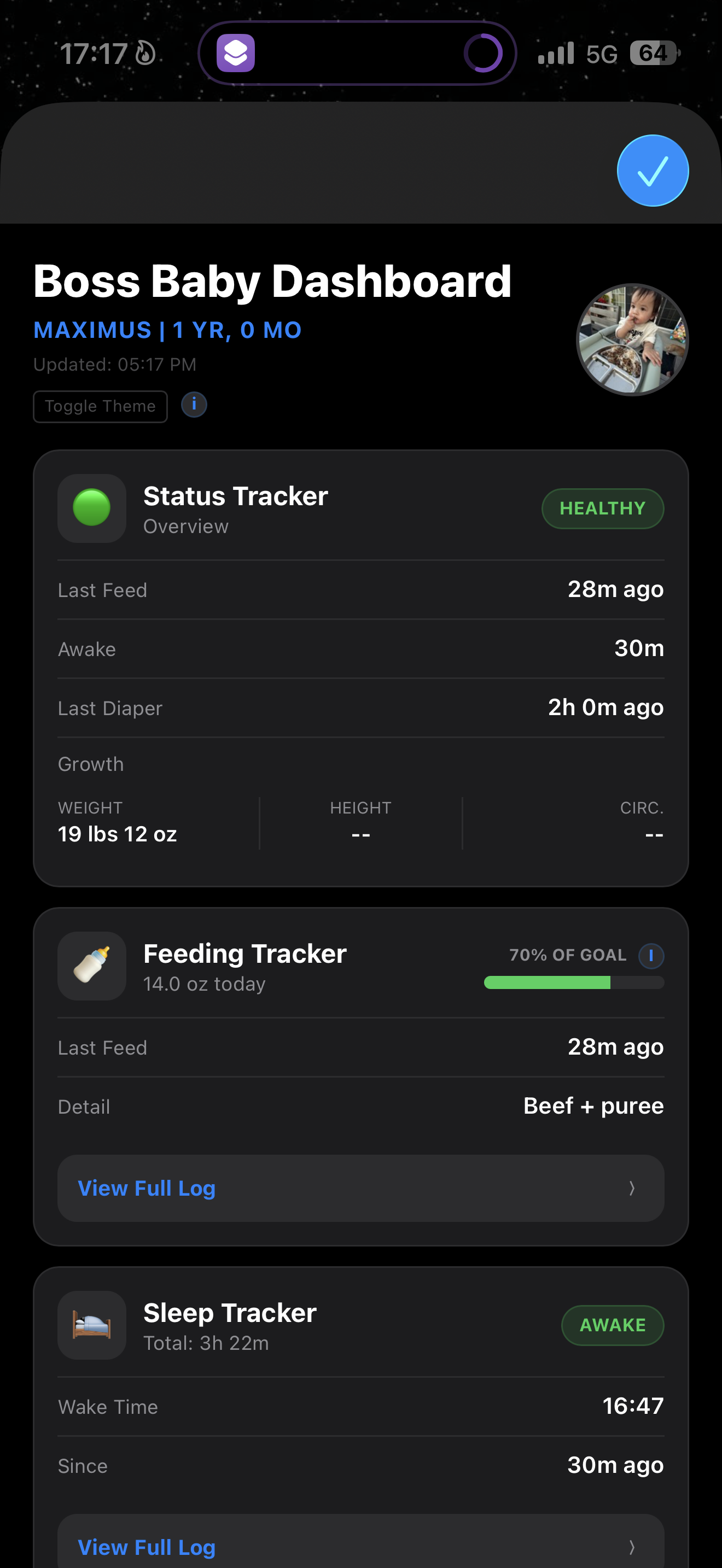
* **Real-Time Status:** Instantly see exactly how long it has been since the last feeding, diaper change, or sleep session the moment you open the app.
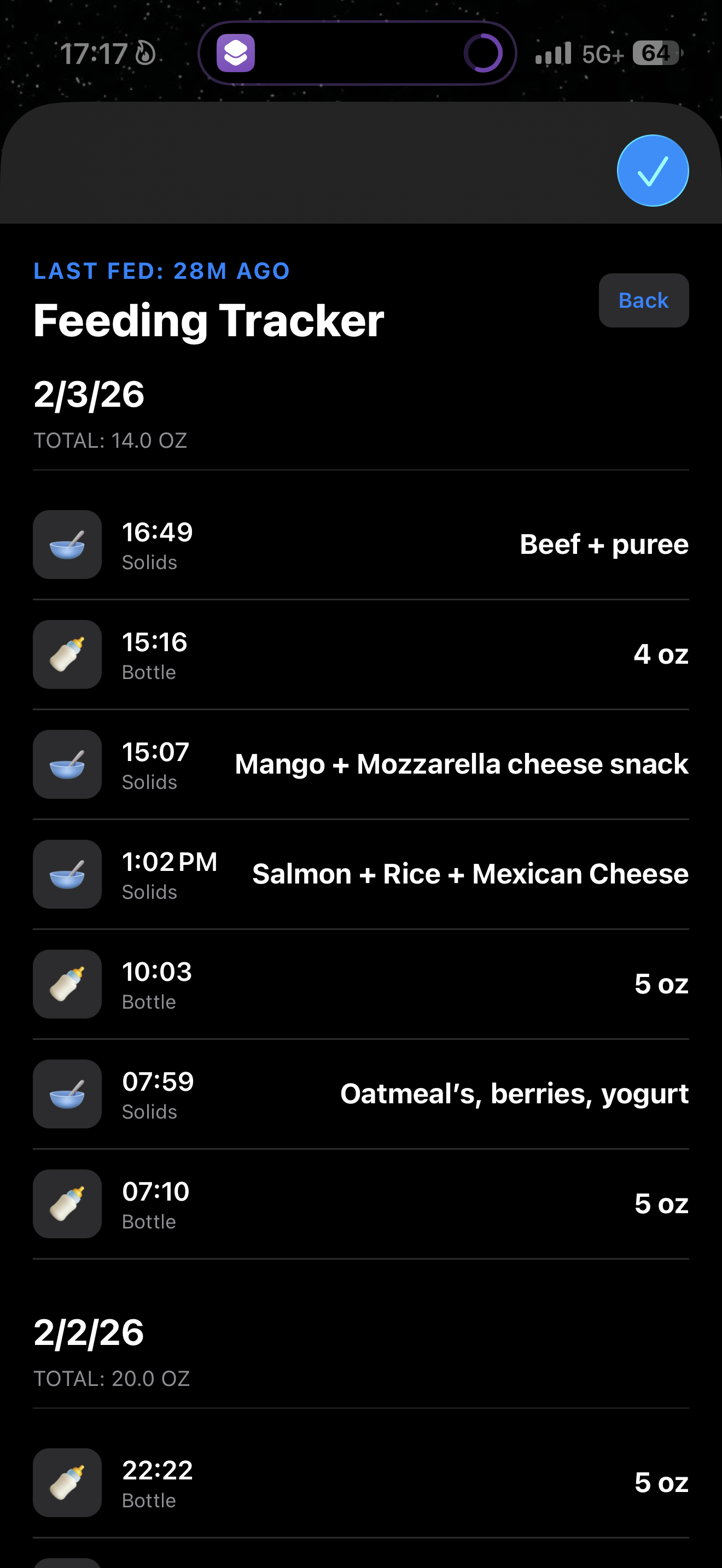
* **Supply Chain (Feeding):** Track total ounces consumed throughout the day with a dynamic progress bar that measures against pediatric-recommended or custom goals.
* **Systems Analytics (Sleep):** Monitor sleep patterns with a 7-day bar chart and real-time "Time Since Wake" counters.
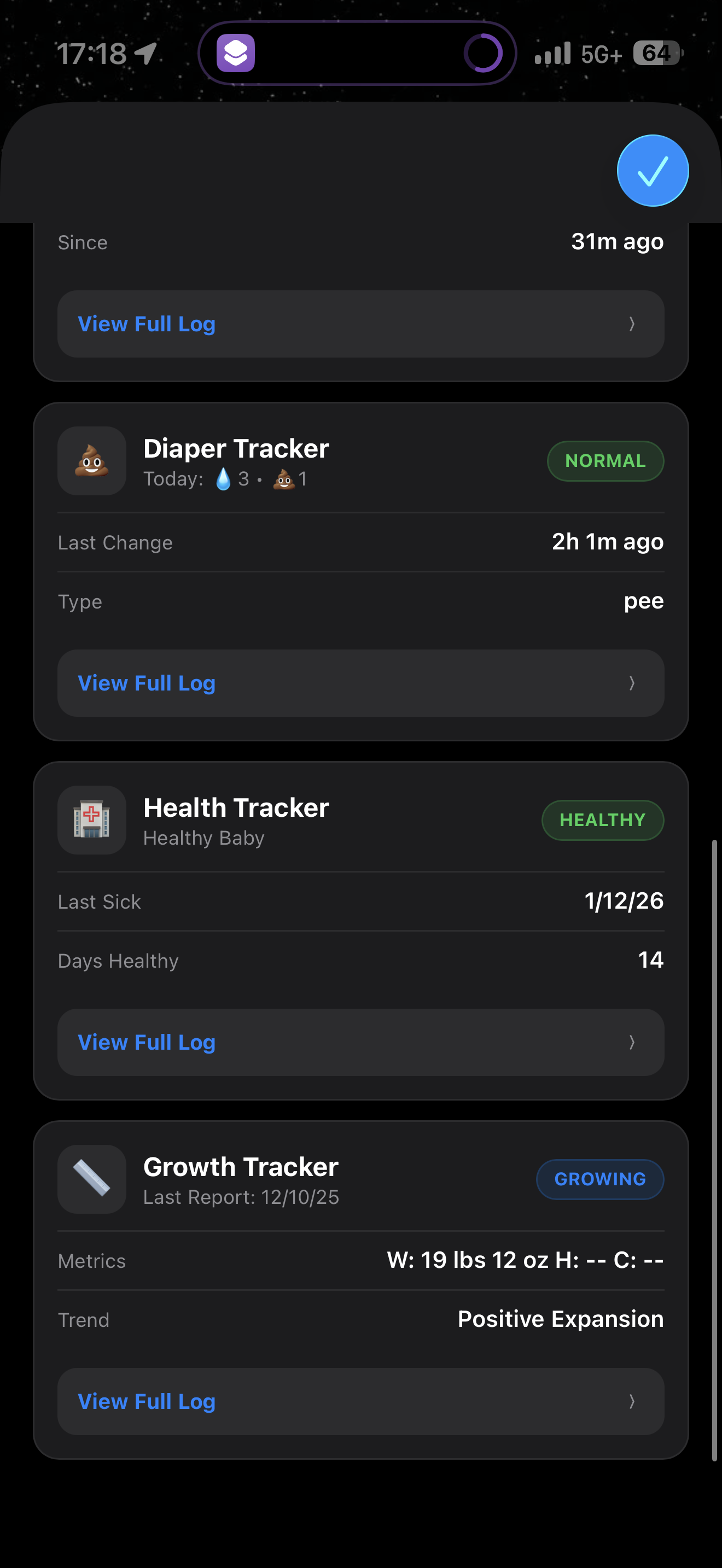
* **Waste Management:** High-visibility diaper tracking using emojis (💩 or 💧) to display the last diaper type.
* **Firewall (Health):** Log health status and track "Days Healthy" or "Days Since Last Incident" to monitor recovery.
* **Scalability (Growth):** Keep a history of weight, height, and head circumference metrics to see development trends at a glance.
* **Detailed History Logs:** Each category features its own interactive tab with a full chronological history of events.
---
### **💼 The "Boss Baby" Theme**
Toggle between two distinct personalities with one tap:
* **Default Mode:** Soft, nurturing labels like Sleep, Healthy, and Feeding.
* **Executive Mode:** Technical, witty terminology such as Systems Online, Firewall Stable, and Supply Chain.
* **Persistent Settings:** Your theme preference is saved and stays active every time you return to the dashboard.
---
### **👥 Multi-User Sync**
Stay in sync with partners or caregivers using a shared iCloud folder. This allows everyone to see real-time updates on their own devices.
**Setup Instructions:**
1. **Share the Data:** On the primary device, locate the **Data** folder inside your app directory. Long-press it, tap **Share**, and invite the other user with **"Can make changes"** permissions.
2. **Accept & Move:** On the second device, accept the invite. Open the Files app and move that shared **Data** folder into: `iCloud Drive` → `Shortcuts` → `Boss Baby`.
3. **Local Personalization:** Your profile picture (`baby_profile_pic.jpg`) and theme preference (`theme.txt`) are saved directly in `Shortcuts` → `Boss Baby` rather than the shared folder. This ensures each user can have their own unique photo and theme while still sharing core log data.
---
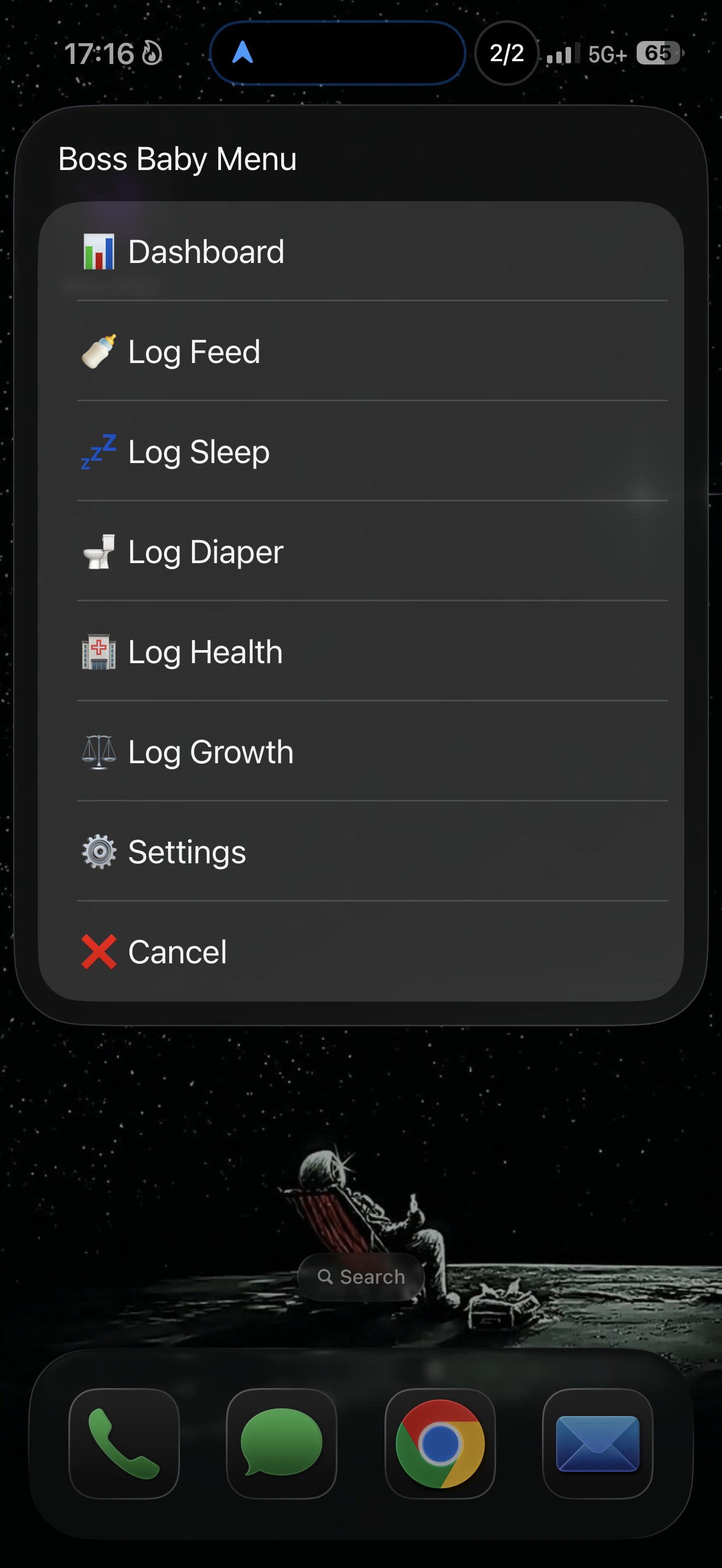
### **📲 Widget Setup: Quick-Log Actions**
To log data instantly without opening the full dashboard, you can create independent **Quick-Log** shortcuts to use as Home Screen widgets. These work by passing a specific keyword to the master shortcut.
**How to build them:**
1. **Create a New Shortcut:** Name it after the action (e.g., "Log Food").
2. **Add a "Text" Action:** Type the specific category word (see list below).
3. **Add "Run Shortcut":** Select the **Boss Baby** master shortcut.
4. **Add to Home Screen:** Use the Shortcuts widget to place these buttons on your screen for one-tap logging.
<img src="https://i.imgur.com/ecqL6BJ.png" width="35%">
**Available Widget Keywords:**
You can create a separate widget for any of the following categories:
* **Food**
* **Sleep**
* **Diaper**
* **Health**
* **Growth**
* **Dashboard** (Use this keyword to bypass logging and open the main interface directly)
Captures d'écran
Informations
Commentaires
Démarrer la conversation
Pas encore de commentaires. Soyez le premier à commenter!













S'il vous plaît. signe pour publier des commentaires.